Jump to a section
Fix the sites with sensitive content and broad access first
Start with SharePoint sites that combine sensitive information, broad or unclear access, and no accountable owner. Confirm what a Copilot pilot user can already reach, contain the highest-risk exposure where needed, then repair the underlying permissions and verify both the intended and unintended access paths. Do not use “number of sites cleaned” as the only success measure.
Microsoft's governed Copilot guidance recommends using Purview and SharePoint Advanced Management to identify overshared, ownerless and sensitive sites. This article adds an editorial decision order for teams that cannot remediate every site at once. It does not replace Microsoft's product instructions, a data-owner decision, or an assessment of your actual tenant.
Editorial owner: Insyto Content Team. Microsoft product guidance verified November 24, 2026. This example uses hypothetical site types, not Insyto customer data.
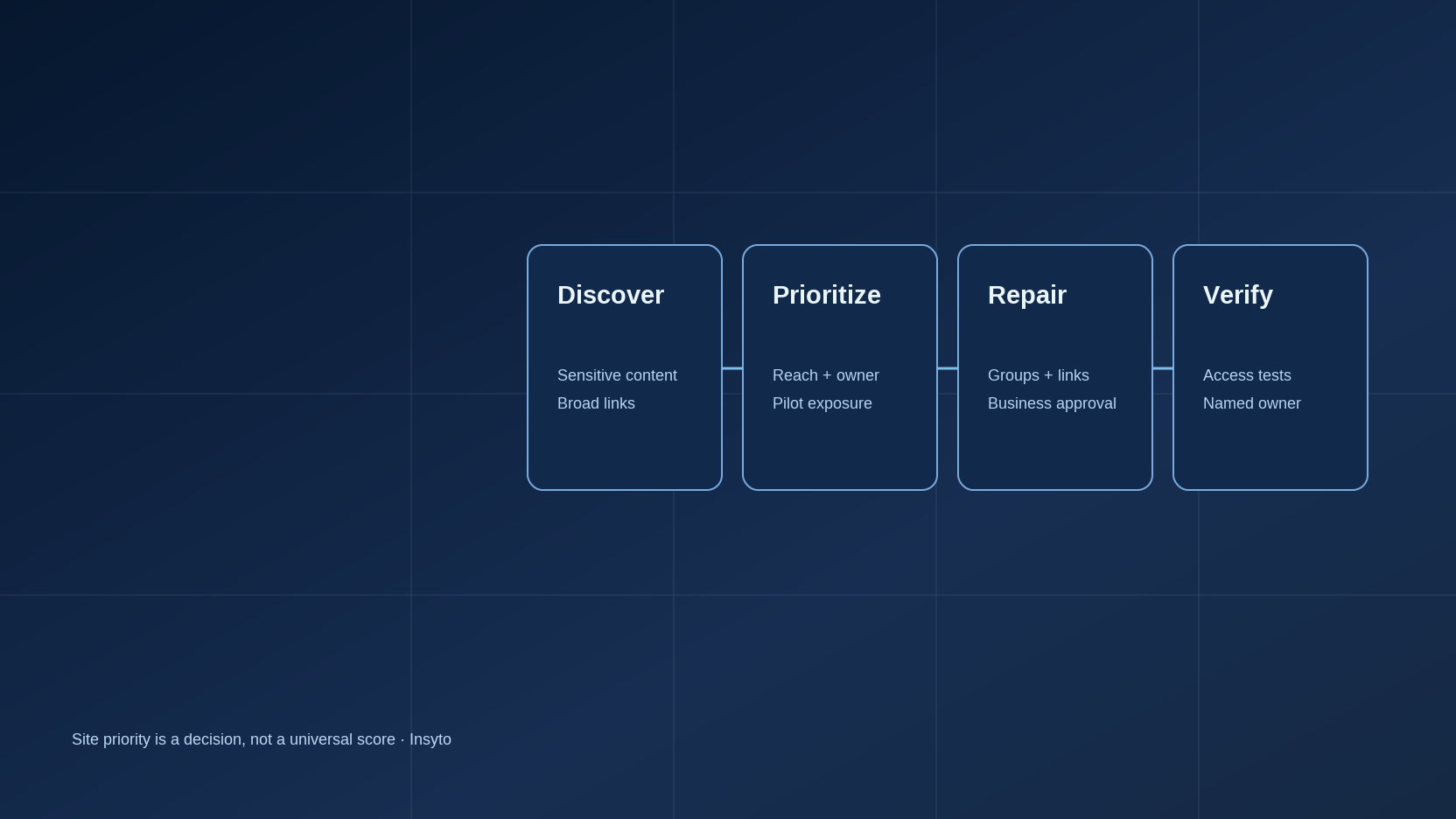
A four-part site-priority method
Build a small working register from approved SharePoint reports and business-owner interviews. This is a relative triage aid, not a numerical security rating or compliance certification. Do not put site names, file names or personal data into an external public tool.
| Question | High-priority signal | Evidence to capture privately |
|---|---|---|
| How sensitive is the content? | Regulated, financial, personnel or confidential material appears in the site's scope. | Data classification and approved content owner; no document contents in a public worksheet. |
| How far does access reach? | Organization-wide groups, broad sharing links, unexpected guests or broken inheritance. | Site and file permission reports, link scope and relevant group membership. |
| Is anyone accountable? | Ownerless or inactive site with no current access reviewer. | Named business owner, site owner and review decision. |
| Will the pilot encounter it? | The pilot group already uses or can access this site. | Pilot user and content-scope check in the tenant. |
For example, a dormant HR site with organization-wide read access and no owner deserves attention before a small, well-owned public project site. That is an illustrative ordering, not a claim about a particular customer's exposure. If the pilot will never use either site, record that boundary rather than assuming the wider tenant is fixed.
Contain high-risk exposure, then repair permissions
- Identify high-risk sites through the available Purview risk assessment and SharePoint data-access governance reports. Confirm licensing and admin roles for each report.
- Ask the content owner whether the broad grant is intentional and whether the site contains material that should be excluded from the pilot.
- Where appropriate, apply a time-limited supported control such as Restricted Content Discovery or a scoped Purview DLP policy while remediation is planned. Record the owner and removal criterion for the temporary control.
- Remove inappropriate anonymous, organization-wide or guest access; rescope links and groups with the owner. Check broken inheritance and site lifecycle.
- Retest representative authorized and unauthorized users. Lift the interim control only after the access decision is working.
What should the remediation record prove?
For each site, keep five items together: the original access path, the intended audience, the approved change, the test result and the future owner. Test a pilot user who should still reach the material and a user who should not. Review file-level grants as well as site-level membership where the report flags unusual sharing; a site label alone cannot prove every file is correct.
The existing SharePoint permissions cleanup guide explains the broader cleanup workflow. The Copilot readiness guide covers identity, licensing, governance and the full pilot decision. This article focuses specifically on which sites to remediate first and how to prove the change.
When the investigation identifies a larger workspace restructuring need, Insyto's SharePoint & Teams Transformation describes a separately scoped implementation path. Purview Data Governance Implementation is another distinct service, not an automatic inclusion in a readiness assessment.
How Carlsbad businesses can prepare Microsoft 365 data for AI adoption
Consider a hypothetical Carlsbad organization with separate HR, finance and project SharePoint sites. A Copilot pilot user may already have access to a broad legacy link or group; Copilot does not independently grant that person unrestricted access to every company file. The practical risk is that existing overbroad permissions can make sensitive material easier to discover and summarize. This example does not describe an Insyto customer or a measured breach.
Start with the pilot audience and the business owner of each site. Review group membership, guest access, sharing links, data classification and any content that should stay outside the pilot. Prioritize remediation by sensitivity and reach, then retest with authorized and unauthorized users. A Carlsbad IT consulting assessment can sequence the work; Microsoft 365 Security & Compliance Consulting addresses the tenant review, and AI Governance & Security Consulting addresses adoption policy. A Copilot Readiness Assessment tests the narrower pilot question. Managed Microsoft 365 services in Carlsbad is the recurring-operations path.
Frequently asked questions
Does Copilot create a new SharePoint permission?
Microsoft says Copilot grounds responses in information the user already has permission to access. It can make an existing overbroad access grant more visible and useful, but it is not itself a new permission grant for that user.
Should we remove all broad sharing immediately?
Review each site's business owner, legitimate collaboration needs and access evidence first. Contain the highest-risk exposure when appropriate, then replace overbroad grants with approved groups or links and test business workflows. A blind tenant-wide removal can disrupt work.
Does Restricted SharePoint Search fix oversharing?
No. Microsoft describes it as a temporary measure, not a security boundary, and says it does not change site permissions. Use permission remediation and appropriate controls as the durable solution.
What evidence shows a site is safe for the pilot?
Record the owner, intended audience, current grants and links, sensitivity, approved changes and a test with representative pilot users. Then confirm that unauthorized users cannot access the content and that the intended users still can. Tenant reports and audit records can support the review.
What should a Carlsbad company review before a Copilot pilot?
Review representative SharePoint and Teams content, user and group access, sharing links, ownership, sensitivity and the pilot audience. Prioritize sites with sensitive data and overbroad grants, then test both intended and unintended access before expanding.
Can AI governance consulting help find excessive access?
A scoped review can define the access and data-governance questions and a remediation plan. Findings and implementation depend on the evidence and tools agreed for the engagement; it is not a guarantee that every file has been audited.
Sources and verification
Primary sources checked November 24, 2026. Follow the linked vendor pages for changes after that date.
- Microsoft: secure and governed foundation for Copilot — Discovery, interim protections, permission repair and validation
- Microsoft: SharePoint data access governance reports — Reports, prerequisites and limitations
- Microsoft: Restricted SharePoint Search — Temporary measure, not a security boundary
- Microsoft: Restricted Access Control — Site access restriction details