Jump to a section
Production readiness is an owner decision supported by evidence
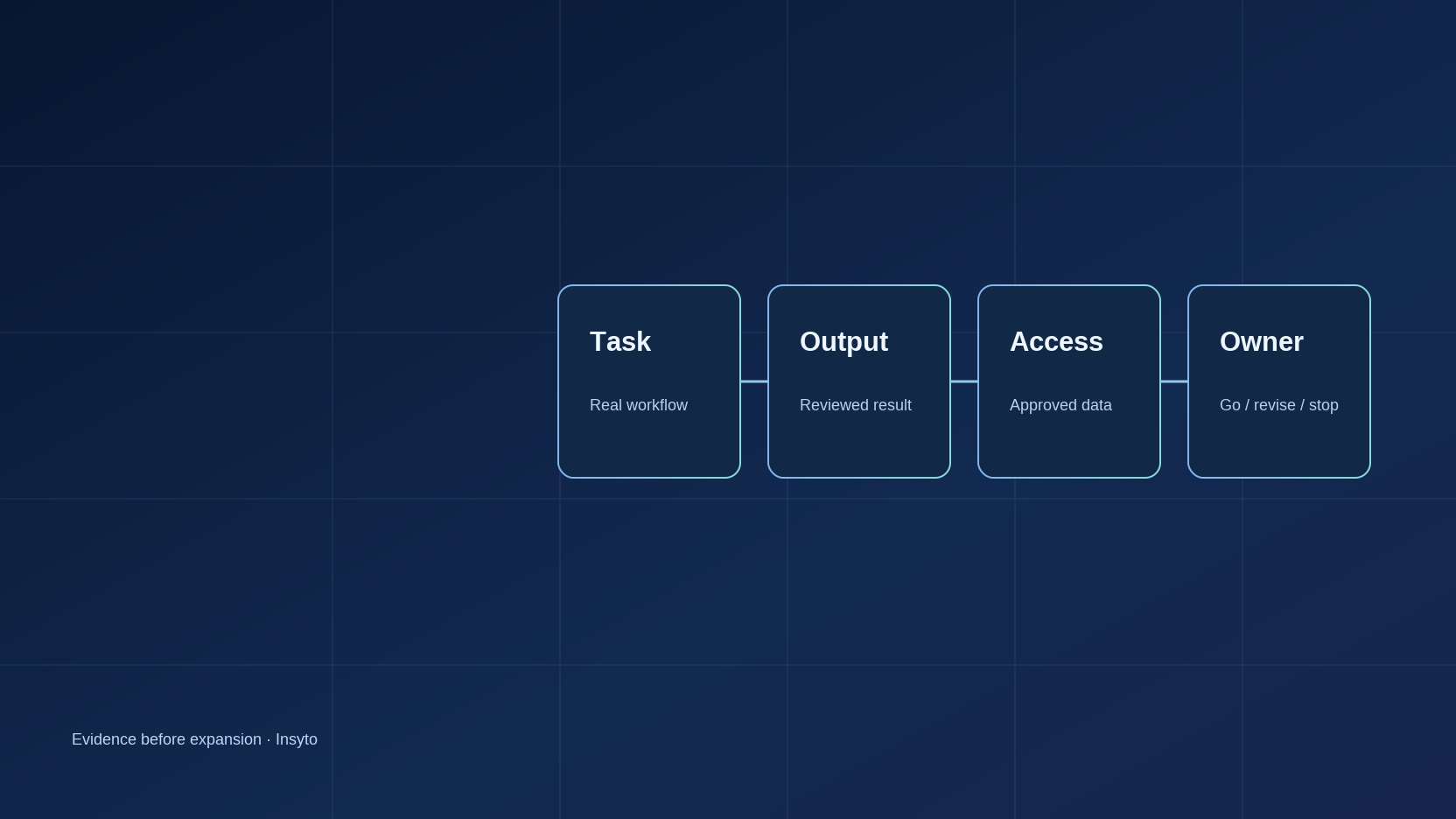
An AI pilot is ready to expand only when its owner can explain what it should do, show how it performed against a baseline, account for data and access risk, and name the team that will operate and stop it. A polished demo or a low token price is not enough.
This workbook gives a team a practical record of those decisions. It has no universal pass score. The status “Evidence recorded” means somebody has reviewed a criterion; it is not an Insyto audit, a compliance finding or a promise that the deployment is safe.
Editorial owner: Insyto Content Team. Evaluation and Microsoft governance sources reviewed November 24, 2026. The example below is illustrative, not a customer benchmark.
Build a test set that resembles the work
Start with a representative sample of the actual workflow, including routine tasks, ambiguous requests and cases where the system should refuse or ask for a person. Record the current non-AI result so the pilot has a baseline. A human who knows the task should define acceptable answers and consequential errors before the team sees model outputs.
For each trial, record the model and version, prompt, tools, data source, reviewer, observed output, errors, latency and provider-reported usage. Repeat tests where output varies. OpenAI's evaluation guidance recommends task-representative test data and explicit criteria; it does not make a single model or threshold universally correct. The Insyto AI Model Consumption Lab can help calculate scenario costs, but its list rates and imported measurements do not substitute for quality or privacy review.
| Workflow | Evidence to collect | Owner's decision question |
|---|---|---|
| Summarize approved policy | Known-source summary, unsupported statements, access test | Can the output be checked before use? |
| Classify support requests | Human-labeled sample, false routing, rework and cost | Is the workflow better than the current baseline? |
| Retrieve sensitive information | Authorized and unauthorized-user tests, audit evidence | Does access match the approved boundary? |
These are examples of test design, not Insyto measured results or an offer to build custom AI systems. Keep real prompts and outputs in an approved environment rather than a public page.
Use the private AI pilot acceptance worksheet
Select the categories relevant to the pilot. For each item, mark whether evidence is recorded, work remains, or the item is not applicable; add a short non-sensitive note if useful. Export an Excel-compatible CSV or print a PDF decision record. The page does not store or transmit your entries.
Private browser worksheet
Build your pilot decision record
Choose relevant categories, review each question, and keep your evidence in your own systems. Optional notes stay in this browser session and are included only when you export or print.
This editorial worksheet does not certify readiness or regulatory compliance. “Evidence recorded” means you have reviewed an item, not that Insyto verified it.
Purpose and use cases
Which business outcome should this pilot improve, and who owns that outcome?
Keep privately: Named owner and observable outcomeAre the in-scope workflows and excluded tasks written down?
Keep privately: Use-case list and boundaryBaseline and acceptance
How does the current non-AI process perform on the same tasks?
Keep privately: Comparable baseline sampleWhat evidence would lead the owner to proceed, change scope or stop?
Keep privately: Owner-approved test and decision rulesData and privacy
Are test sources current, accurate and suitable for the intended users?
Keep privately: Source owner and quality reviewIs personal or confidential data use approved and minimized for this test?
Keep privately: Approved data boundary and handling planSecurity and access
Are sensitive content, retention and external processing risks evaluated?
Keep privately: Threat and data-flow reviewDo users, agents and connectors have the least access needed for the pilot?
Keep privately: Access map and revocation ownerOutput and oversight
Have representative answers been checked against approved ground truth?
Keep privately: Task set, errors and human reviewWho checks consequential outputs or actions before they affect people or systems?
Keep privately: Review trigger and escalation pathCost and operations
Have actual usage and cost per useful task been measured under stated settings?
Keep privately: Provider-reported usage and rate dateWhat happens when the model, connector, data source or approval step fails?
Keep privately: Failure test and fallback ownerPeople and response
Did representative users complete the workflow and report friction or misuse?
Keep privately: Pilot user feedback and action logCan the team detect, pause and investigate an unsafe or unintended action?
Keep privately: Response owner and stop procedureOwnership and decision
Who approves changes, monitors the pilot and reviews it after launch?
Keep privately: Named owner and review cadenceHas the accountable owner recorded a proceed, revise or stop decision with conditions?
Keep privately: Dated decision and unresolved itemsThe CSV is a local file that can be opened in Excel. Printing uses your browser's PDF option. Neither action sends the worksheet to Insyto.
Turn unresolved items into a go, revise or stop decision
Review “Needs work” and “Not reviewed” with the accountable owner. Some issues can be fixed before a limited pilot continues; others, such as unapproved sensitive data access or no incident owner, may warrant stopping expansion. “Not applicable” needs a reason, especially for privacy, access or human review. A completed worksheet is only a record of what the team checked.
- Confirm the business objective and the baseline are still valid.
- Show test results and material failures, not just successful examples.
- Review permissions, data handling and human oversight with their respective owners.
- Compare cost per useful task using actual provider usage, not an assumed token count.
- Record conditions for proceeding, a rollback or pause action, and the next review date.
For Microsoft 365 Copilot, the Copilot Readiness Assessment addresses tenant permissions and pilot scope. For wider policy and risk ownership, see AI Governance & Security Consulting. Carlsbad businesses can start with the existing IT consulting assessment; there is no claim here of a separate broad AI deployment offer.
Planning an enterprise AI pilot in Carlsbad
Imagine a hypothetical Carlsbad technology firm that wants to triage internal support requests. Before choosing a model, its owner could compare the current manual routing time and rework with a small approved test set. The team would identify which tickets contain personal or confidential information, who can access them in Microsoft 365, and which reviewer approves a suggested category. This is an example of planning, not an Insyto client engagement or measured result.
The workbook can record those objectives, data and security constraints, test outcomes, per-use cost assumptions, user acceptance and the person who will monitor errors. A pilot should not expand because a demo looks convincing: the owner needs an explicit quality threshold, a human fallback and an operations handoff. Bring the non-sensitive summary to a Carlsbad IT consulting discussion to define an assessment and implementation-readiness roadmap. For policy and data risk use AI Governance & Security Consulting; if the pilot is Microsoft Copilot, see the Copilot Readiness Assessment. None of these links promises custom AI development or a broad deployment contract.
Frequently asked questions
Is there a universal pass score for an AI pilot?
No. The acceptable error rate, human oversight, cost and privacy boundary depend on the task and organization. Define the decision rule with the accountable business and risk owners before testing, and record exceptions.
Can I put confidential project details in this worksheet?
Avoid sensitive information in a browser worksheet. Notes stay in this page's memory during the session and are exported only if you choose to download or print them, but a shared device, local file or printed copy can still expose them. Use your approved internal systems for detailed evidence.
Does a completed worksheet mean our AI system is compliant?
No. This is an editorial self-assessment, not a certified security, privacy or regulatory review. Your qualified owners and advisors must assess applicable obligations.
How should we compare multiple models?
Use representative tasks, the same prompt and test conditions where possible, provider-reported usage, human-reviewed outputs and repeated trials. Record model version and settings. A cheap response that fails the business task is not a successful result.
How can a Carlsbad business evaluate an AI project before deployment?
Choose one owned workflow, collect a representative task set and current baseline, identify approved data and access, then agree quality, cost, privacy and human-review criteria before testing. Record a go, revise or stop decision with the operating owner.
What should we prepare before asking for AI implementation help?
Bring the business problem, current workflow and systems, candidate users, data boundaries, decision owner, test examples and a rough pilot objective. An advisory assessment can turn that into requirements; implementation remains a separately agreed scope.
Sources and verification
Primary sources checked November 24, 2026. Follow the linked vendor pages for changes after that date.
- OpenAI: evaluation best practices — Representative tasks and explicit test criteria; no dependency on the retiring legacy Evals API
- Microsoft: secure and governed foundation for Copilot — Data, access and policy checks for a Microsoft AI pilot
- Microsoft: Manage access to agents in SharePoint — Agent and content access considerations